How to build a custom CRM for a small business (a plain-language walkthrough)
If you've searched 'how to build a custom CRM' and hit walls of developer jargon, this is the plain version. What to plan, what to skip in v1, what it costs, and how long the first working version actually takes.
Most guides on building a custom CRM are written for developers. This one is written for the owner or operations lead of a 5-30 person business who has decided the off-the-shelf CRM isn't fitting anymore, and wants to know what actually happens next. No jargon, no framework debates, just the real steps.
Step 1: Write down how your business actually works, on one page
Before anyone touches software, you need a one-page description of how a lead becomes a paying customer at your business. Not the ideal version. The real one, including the messy parts.
Answer these on paper first:
- Where do new leads come from? (referrals, website form, walk-in, phone)
- Who touches a lead first, and what do they do with it?
- What are the 3-6 stages a lead moves through before becoming a customer?
- What information do you wish you always had on every contact, but currently don't?
- What reports does the owner ask for every month that someone builds by hand?
If you can answer those five clearly, you're already 80% of the way to a good CRM spec. Most SaaS pain comes from skipping this step and trying to bend a generic tool to a workflow nobody wrote down.
Step 2: Decide what v1 must do, and what it must NOT do
The single biggest mistake in building a custom CRM is trying to replace everything at once. A good v1 does 3-5 things really well and leaves the rest for later. A bad v1 tries to do 20 things and ships late, over budget, and half-broken.
A realistic v1 for a small BC business
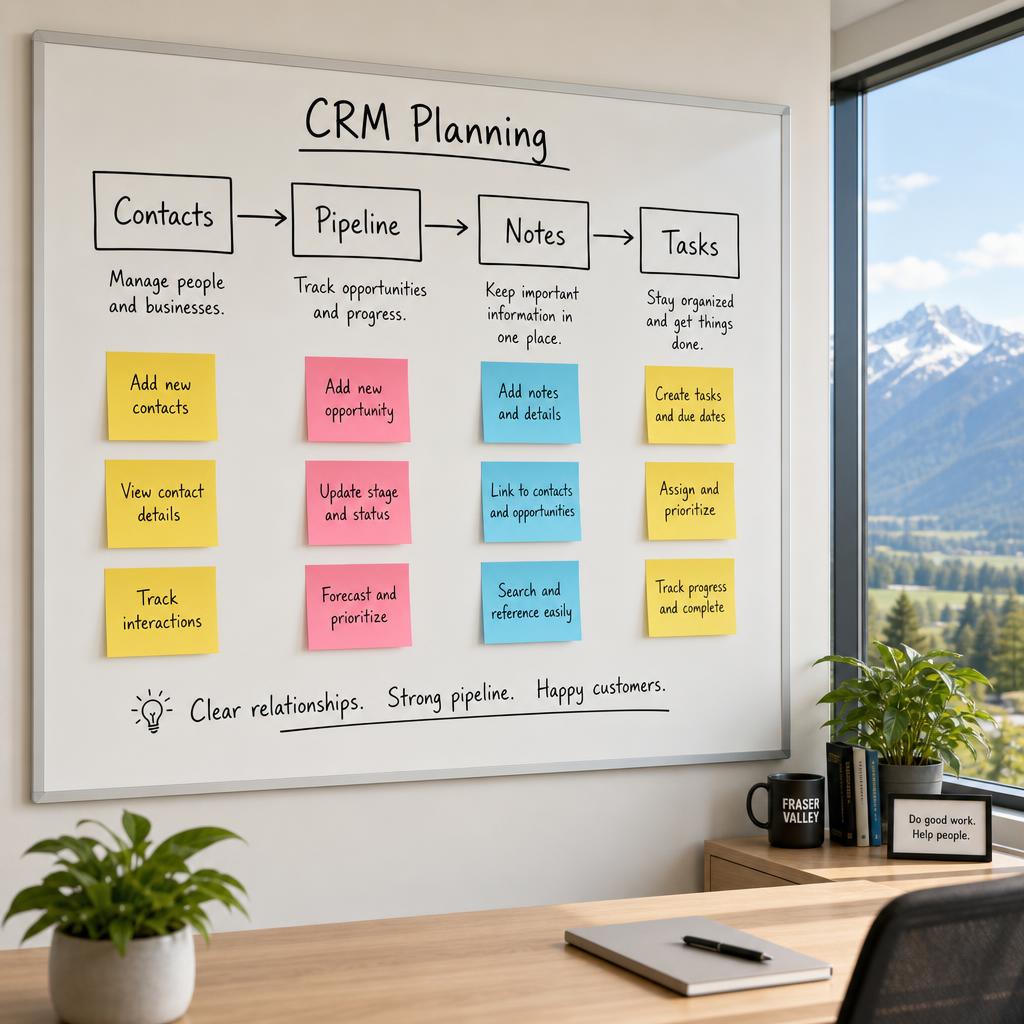
- A contacts database with the fields you actually use
- A pipeline view showing where each deal or job is
- Notes and next-action reminders per contact
- One or two reports the owner looks at weekly
- Basic user accounts so the team can log in
Things to explicitly leave for v2
- Email marketing (Mailchimp already does this well)
- Invoicing (QuickBooks or Wave already do this well)
- Fancy automations, AI features, or dashboards nobody asked for
- Mobile apps (a responsive web app usually covers 95% of real use)
Owning a small, working v1 in 8-12 weeks beats waiting 9 months for a big-bang launch. Every time.
Step 3: Pick the right builder, not the cheapest one
You have three realistic options, and each has honest tradeoffs.
Option A: Build it yourself with a no-code tool (Airtable, Notion, Softr)
Cheapest to start, fastest to prototype. Works well up to about 5 seats and simple workflows. Runs into per-seat pricing and structural limits when you grow. Good for testing whether a workflow is worth building properly.
Option B: Hire a freelancer on Upwork or Fiverr
Cheapest custom-code option. Quality is a lottery. You own the code but often not the documentation, and support disappears when the freelancer moves on. Fine for tiny, disposable tools. Risky for anything the business depends on.
Option C: Hire a small local studio or contractor
Highest upfront cost of the three, lowest total cost over 3-5 years. You get a maintained, documented codebase, a real person to call, and someone who understands BC small-business realities. Best fit when the CRM is core to how the business runs.
For a business planning to be around in five years, option C almost always wins on total cost and total headache.
Step 4: Understand what actually gets built
A custom CRM is not magic. Under the hood, it's three parts:
- A database that holds your contacts, deals, notes, and history
- A web interface (what you and your team click on)
- Logins, permissions, and backups so it's safe to use
That's it. Everything else - reports, reminders, integrations, automations - is built on top of those three foundations. A good builder will explain each part in plain language before writing any code. If they can't, that's a warning sign.
Step 5: Plan the rollout, not just the build
The build is 60% of the project. The other 40% is getting your team to actually use it. Plan for:
- A migration of your existing contacts (from HubSpot, spreadsheets, wherever)
- One or two training sessions with the team
- A parallel-run week where old and new systems run side by side
- A cutoff date after which the old tool is read-only
- A short list of small fixes the team will inevitably ask for in month one
A CRM that's technically finished but nobody uses is a failed project. Rollout is where the money is actually earned.
What it costs, honestly
For a 10-30 person BC small business, a well-scoped custom CRM v1 typically lands in the $25,000-60,000 range for the initial build, plus $100-300/month for hosting. Ongoing changes are optional and priced per hour or on a small retainer. There's no per-seat penalty for hiring, and no annual price increase you didn't agree to.
For context, a 15-seat HubSpot Sales Professional subscription runs roughly $190,000-240,000 over five years. A custom CRM built once and quietly maintained usually lands 50-70% below that over the same window.
How long v1 really takes
- Week 1-2: Discovery. Mapping your real workflow.
- Week 3: Written scope with a fixed price for v1.
- Week 4-10: Build. Weekly check-ins where you can see and click on the real thing.
- Week 11: Migration and team training.
- Week 12: Cutover and first week of live use with hand-holding.
Twelve weeks from first call to team using it every day is a realistic target for a focused v1. Anyone quoting 4 weeks is guessing; anyone quoting 9 months is scoping too big.
The bottom line
Building a custom CRM isn't a mystical developer ritual. It's a plain process: write down how the business actually works, pick a small v1, hire a builder who explains things in plain language, and plan the rollout as carefully as the build. Do those four things and the odds of a good outcome go from coin-flip to near-certain.
If you'd like to see what a v1 for your specific business would look like, we do a free first call where we sketch it on one page. No commitment, no sales pressure. Just an honest map of what's possible.