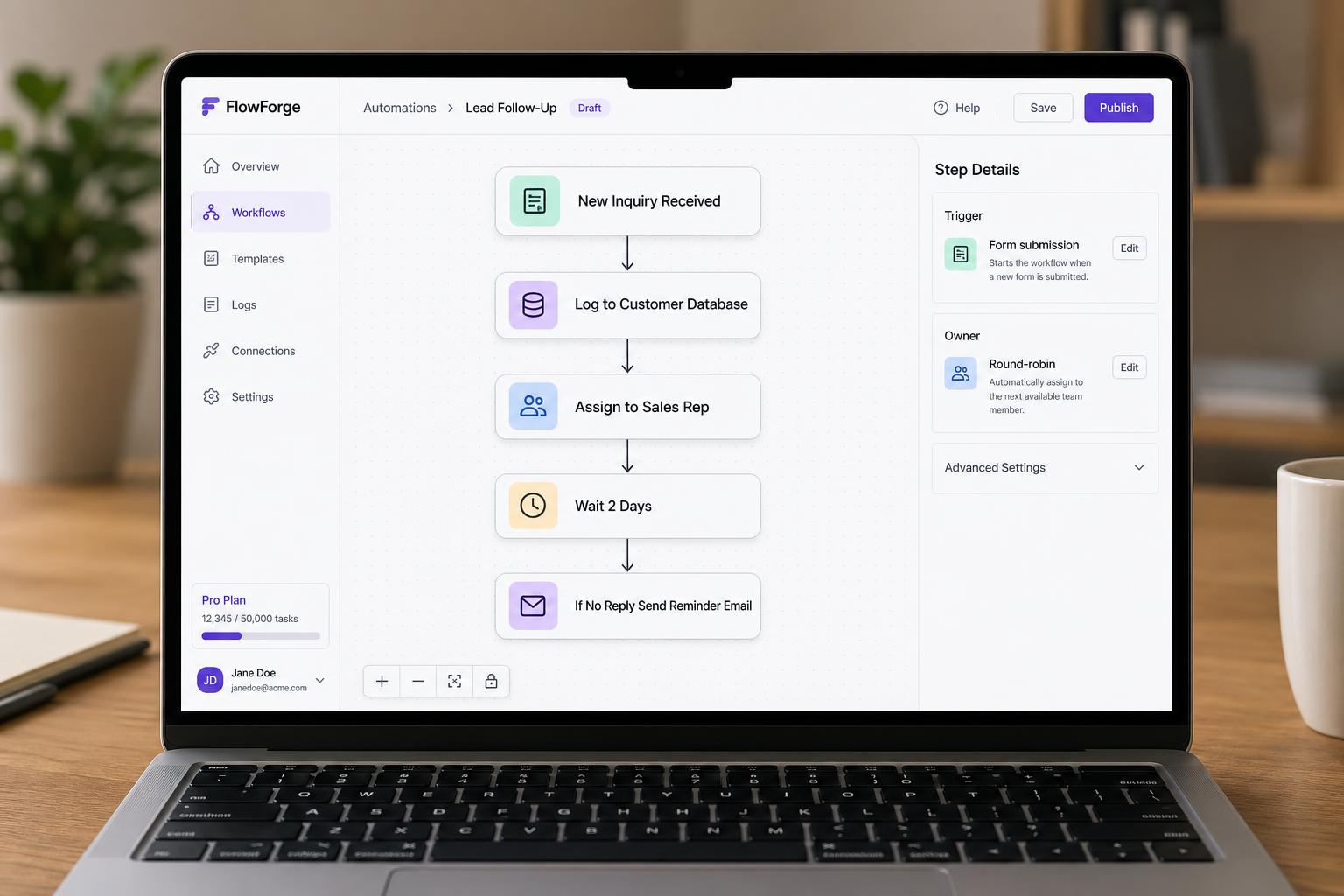
Lead follow-up automation
New inquiry comes in, gets logged in the CRM, assigned to an owner, and triggers a reminder if no follow-up after X days.
Automation & Workflow Tools
Most businesses don't need full robotic process automation, they need a handful of small, reliable workflows that quietly take care of the boring parts. Sending a follow-up after a quote. Copying an order into the right place. Notifying the right person when something happens. We build practical automation that removes the busywork without making your operation harder to understand.
A few of the kinds of projects this service typically covers. Yours will look different, these are conceptual, to give a sense of scope.
New inquiry comes in, gets logged in the CRM, assigned to an owner, and triggers a reminder if no follow-up after X days.
When a booking or order is confirmed, the right team gets notified, the customer gets a tailored message, and the record is filed correctly.
Documents get named, filed, and routed to the right person automatically instead of through a chain of emails.
An automated end-of-day or end-of-week summary so the owner knows what happened without chasing anyone.
A short conversation about what you're trying to fix, who will use the app, and what the current workflow looks like.
We map the screens, data, and main features for the first version of the app, and agree on what's in scope and what's not.
We build using a fast, modern workflow with human review and testing at each step.
You try the app with real data. We refine layout, wording, forms, and flow until it feels right.
We help you launch, then improve based on how the app is actually being used.
A short conversation goes a long way. Share what's slowing you down, we'll suggest a practical first step.