Lead and customer pipeline for a service company
Track new inquiries, quotes, won jobs, and follow-ups with reminders so nothing slips.
CRM & Client Portals
Most CRMs are built for sales teams of fifty, not for the owner of a service business or the operator of a small firm. We build focused customer-tracking apps and private client portals that match how you actually work, your leads, matters, jobs, follow-ups, documents, and status updates in one app, without a fifty-page setup guide.
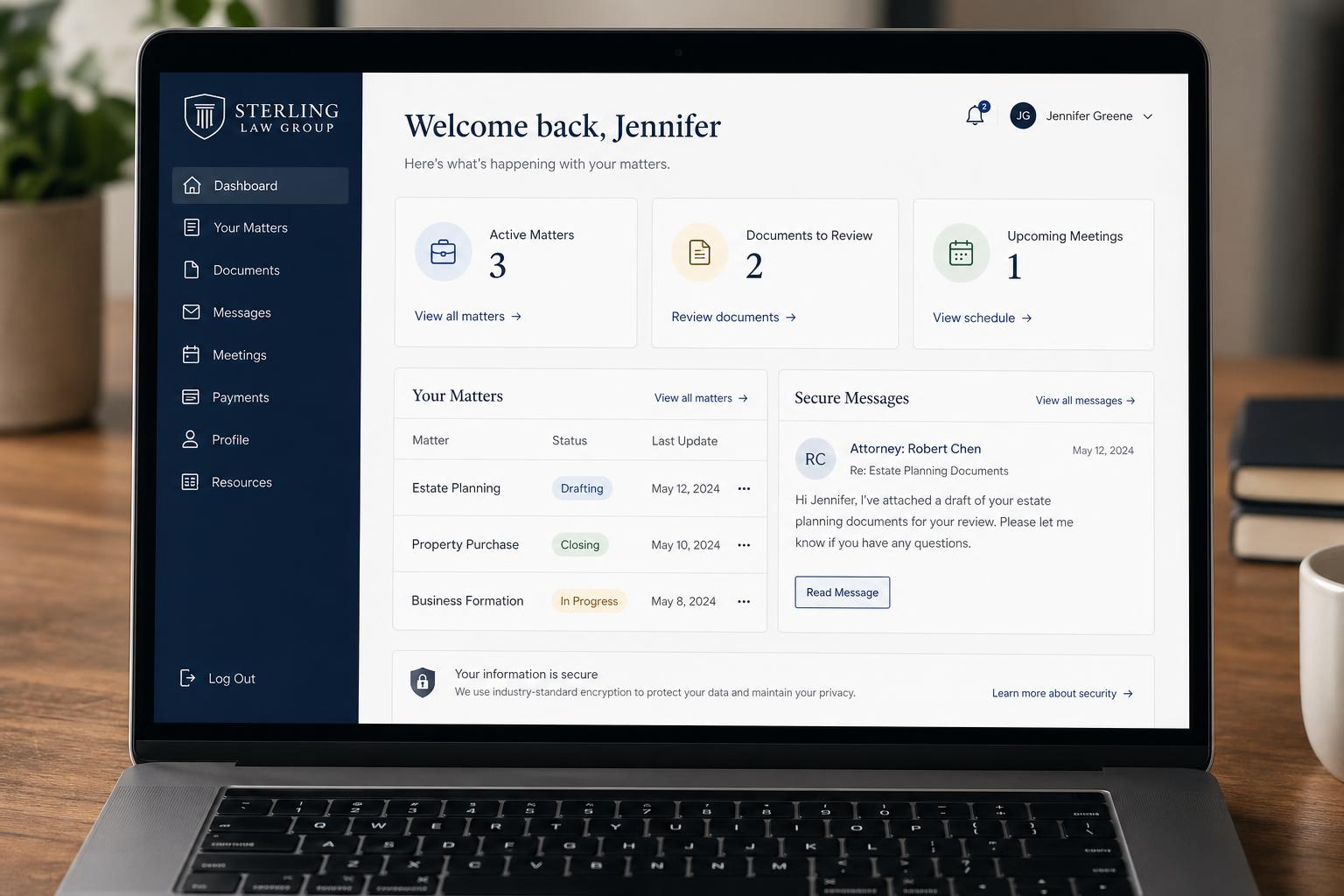
A few of the kinds of projects this service typically covers. Yours will look different, these are conceptual, to give a sense of scope.
Track new inquiries, quotes, won jobs, and follow-ups with reminders so nothing slips.
Clients log in to submit requests, upload documents, see matter status, and message the team, instead of long email threads.
Per-client area with deliverables, files, status, and approvals in one private link.
Customers check job status, approve quotes, and see updates without phoning the front desk.
A short conversation about what you're trying to fix, who will use the app, and what the current workflow looks like.
We map the screens, data, and main features for the first version of the app, and agree on what's in scope and what's not.
We build using a fast, modern workflow with human review and testing at each step.
You try the app with real data. We refine layout, wording, forms, and flow until it feels right.
We help you launch, then improve based on how the app is actually being used.
A short conversation goes a long way. Share what's slowing you down, we'll suggest a practical first step.